Turn a photo into a mirror-chrome statue
Paid per use with credits
Turns your photo into a polished mirror-chrome metal statue with a reflective, mirror-like surface. AI-generated, paid per use with credits.
This tool is paid per use with credits; the prices page always shows the current cost.
Highlights
- Polished mirror-chrome metal finish
- Works on portraits, pets and scenery
- Portraits become ordinary figure statues
Examples
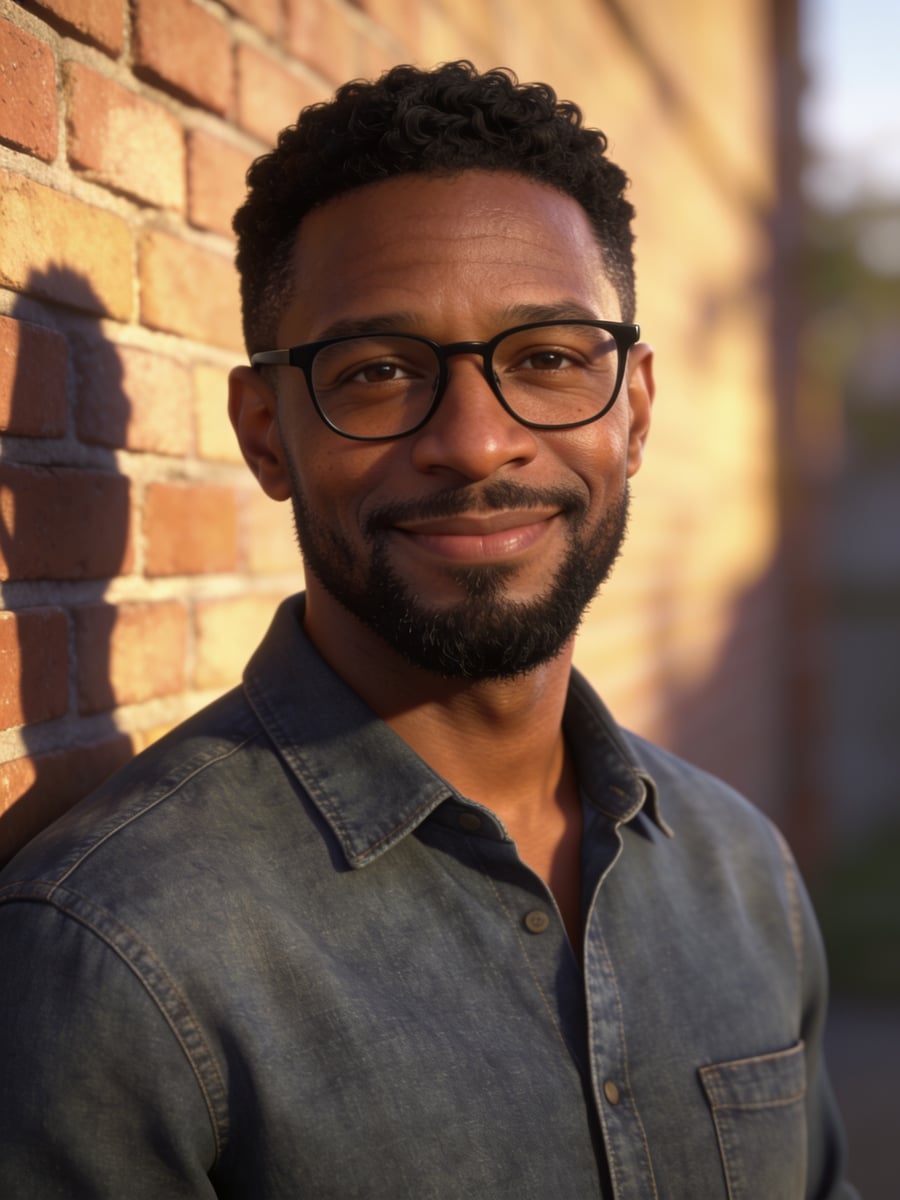
Original 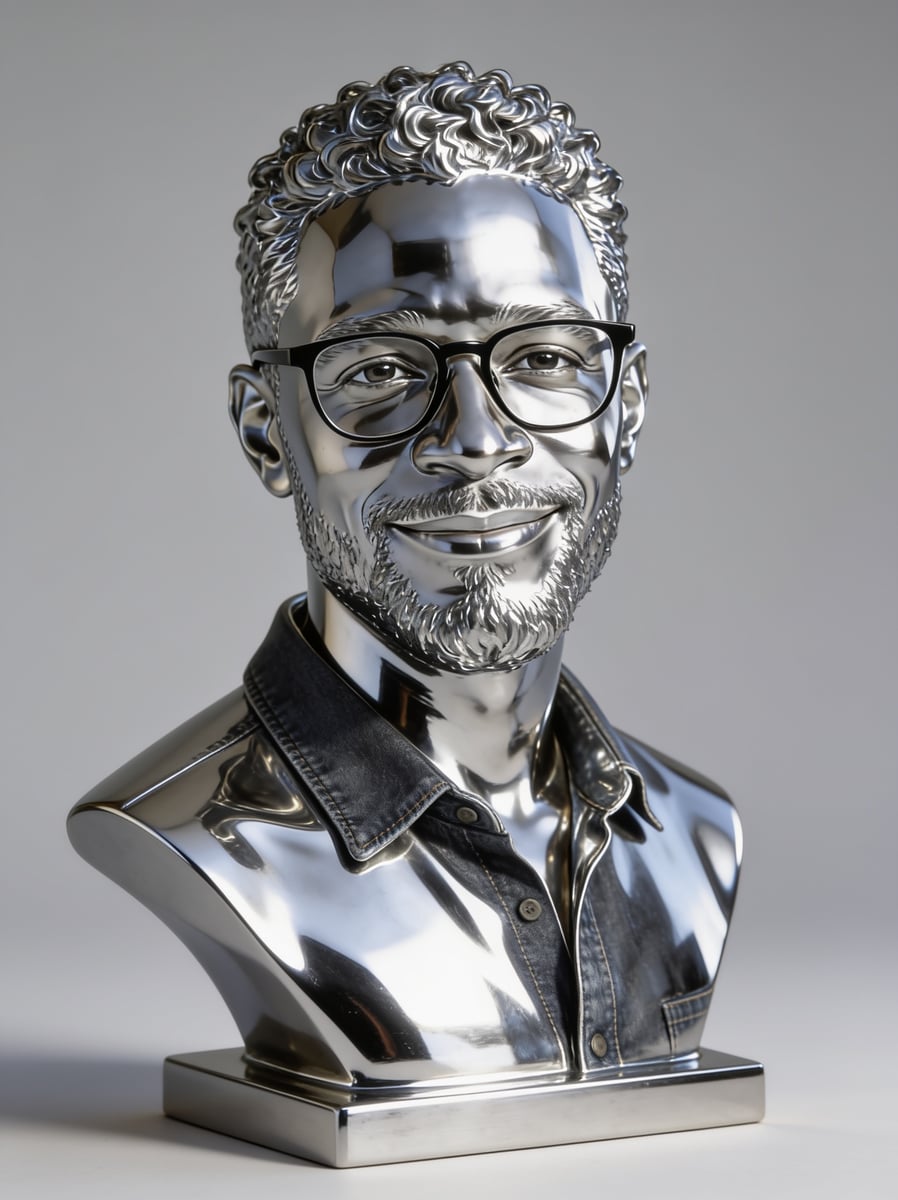
AI-generated 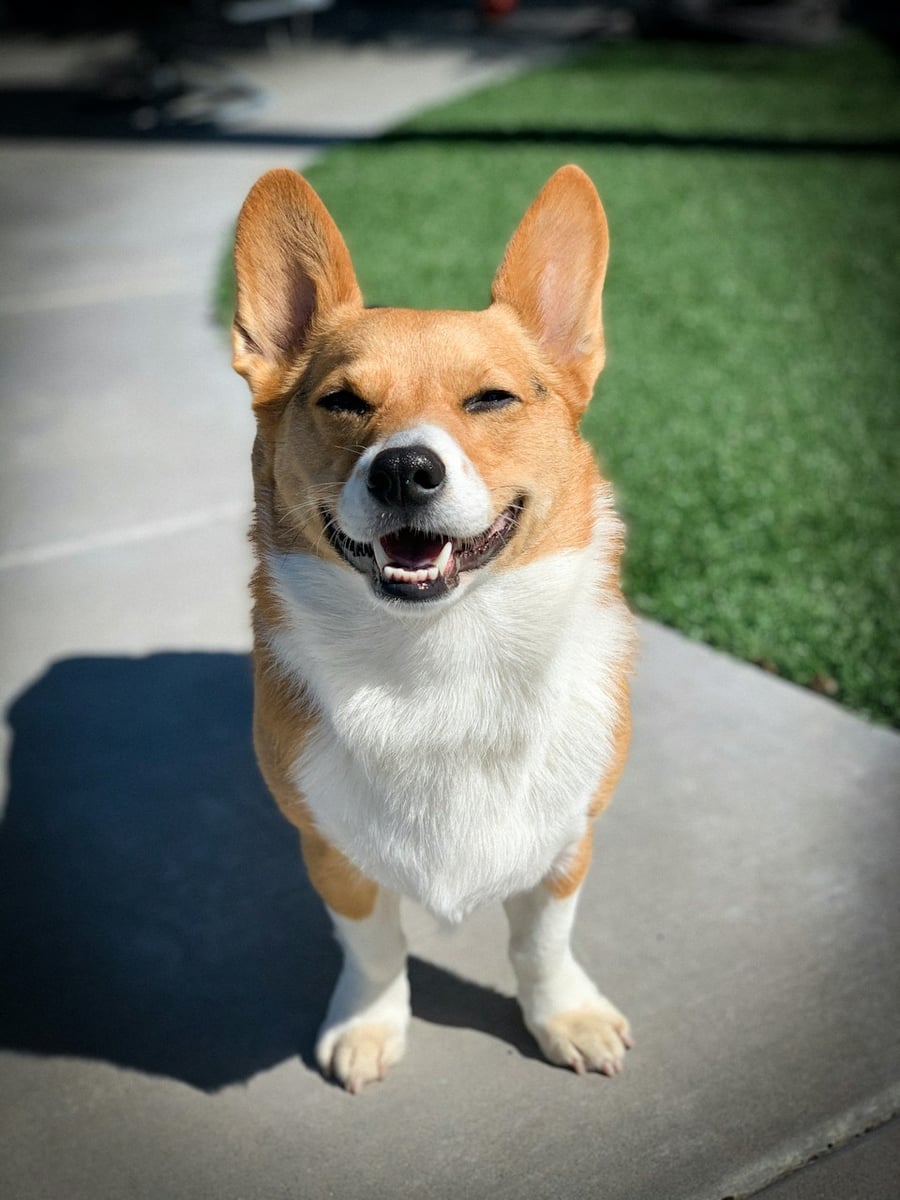
Original 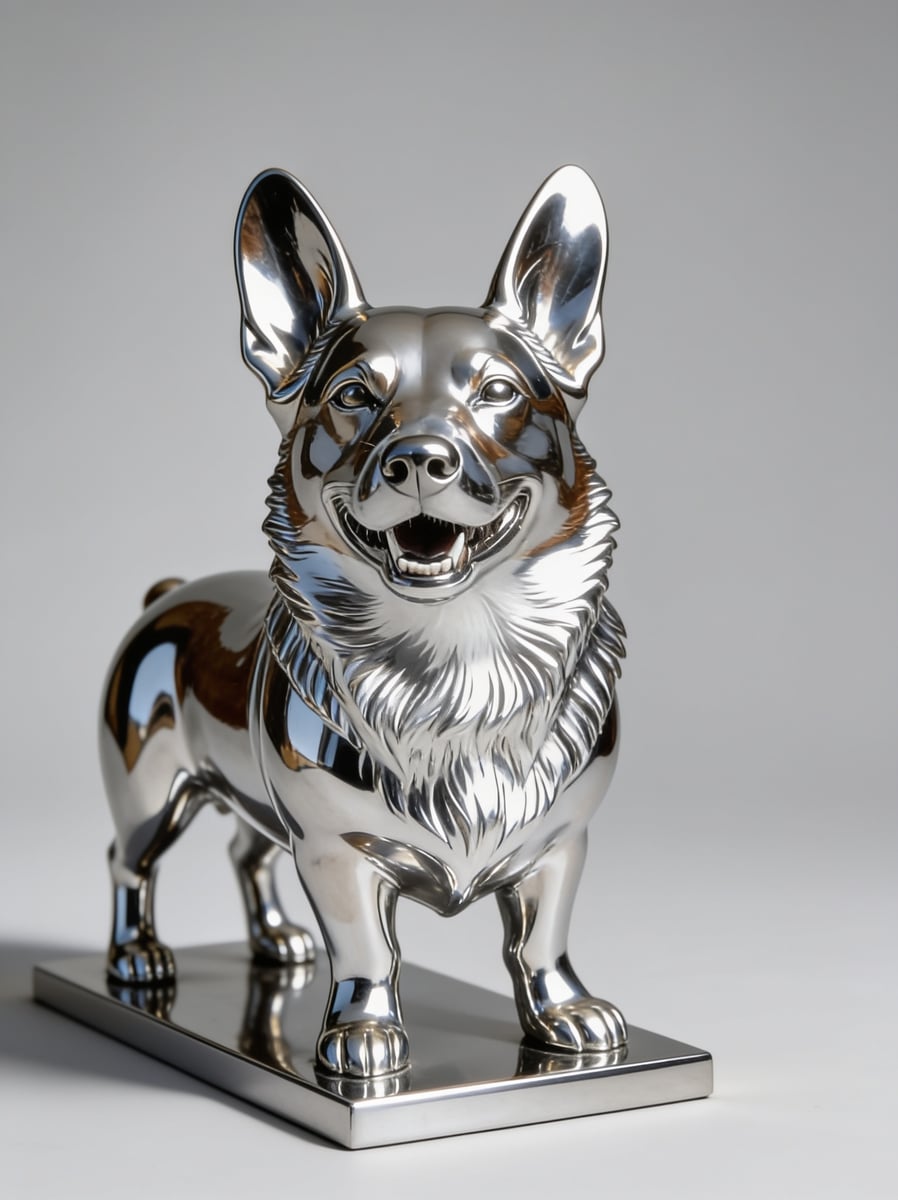
AI-generated
How to use
- Open the editor and choose or drop in a photo
- Pick this style under “Style transfer”, then choose the photo type (portrait, pet or scenery) and the tier
- The credits for this run are shown before you start; confirm, then pick and save from the results
Which photos suit it
Portraits and pets have been tested with real runs and came out well; scenery was tested too and looked good.
A portrait with a headscarf was tested as well: the folds of the cloth stayed and it did not turn into a helmet.
Known limits
Clothing is not always fully turned to metal.
In a few results short hair is drawn longer.
FAQ
- How is it priced?
- Each run uses credits and produces 2 images to choose from; see the pricing page for the exact amount. Credits are returned if the run fails.
- What is the difference between the Standard and Premium tiers?
- Standard covers portraits, pets and scenery; Premium is currently for portraits only and costs more. On some medium-to-dark skin tones the Standard tier can draw the skin lighter, so choose Premium for portraits when that matters.
- Is the result a real photo?
- No. The “Mirror Chrome” result is generated by AI, and the page and the result are labelled “AI-generated”.
- Will headscarves or similar coverings be changed?
- For portraits the request is to keep headscarves, veils and similar coverings covering the same area: not removed, no hair shown, and no religious items added that the photo does not have. AI output cannot be guaranteed 100%; if you are not happy, generate again.
- Is my photo uploaded?
- Style transfer is done by AI on a server, so the photo is uploaded. The free basic tools such as crop and resize run locally in your browser.