Rotate images online
Free
Turn a photo left or right 90° at a time to set a sideways or upside-down picture upright, right in your browser: your image is not uploaded.
Highlights
- Turn left or right, 90° each time
- Click again for 180° or 270°
- Runs in your browser; your image is not uploaded
- Free to use
Examples
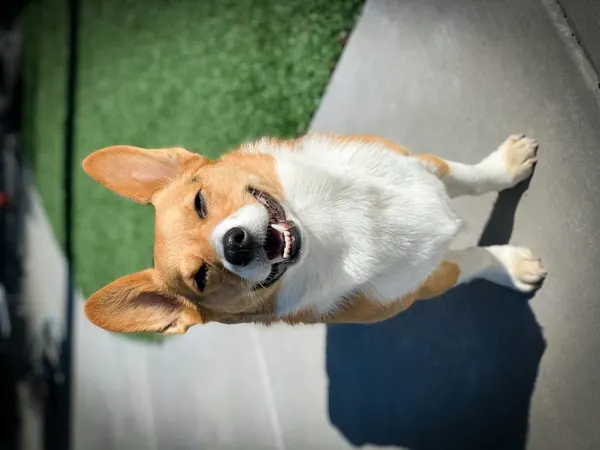
Original 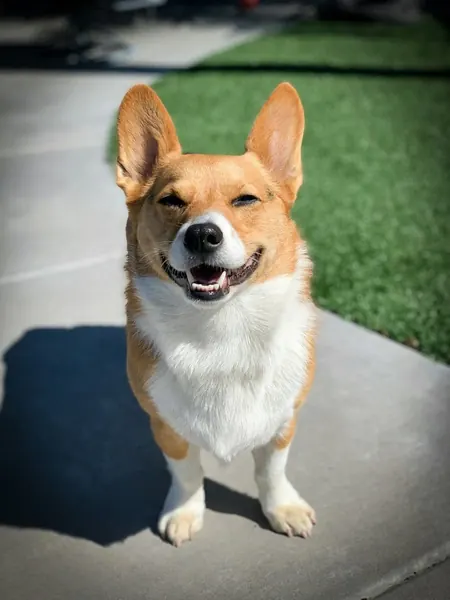
After Example: turned 90° right to set a sideways photo upright (sample image, same angle processed locally)
How to use
- Open the editor and choose or drop in a photo
- Pick “Rotate” in the toolbar, then click the left or right button
- Save the upright photo to your device
90° steps only
Each click turns the photo 90°, which is right for sideways and upside-down pictures. Fine adjustments of a few degrees are not supported; there is no free-angle rotation.
Which images work
JPG, PNG and WebP images are supported, up to 50 MB per file and 40 megapixels. Animated images such as GIFs can't be edited; use a still image instead.
Images with a wide-gamut (Display P3) or CMYK color profile open too, with colors converted correctly; CMYK images are limited to 24 megapixels.
FAQ
- Is my image uploaded?
- No. This tool works on the image right in your browser; it is not sent to our servers or to any other service.
- Does it cost anything?
- This tool is free to use.