Old photo restoration: fix scratches and fading, colorize black-and-white
Paid per use with credits
Repair scratches, fading and blur in old photos, or colorize black-and-white ones. An AI approximation, marked as AI. Credits per run; sign-in required.
This tool is paid per use with credits; the prices page always shows the current cost.
Highlights
- Two operations: Full restore (scratches, fading, blur) or Colorize for black-and-white photos
- One result per run, with an AI mark in the file
- An approximate reconstruction, not a guaranteed match to the original
- Nothing is charged when content review blocks a run or a run fails
- Sign-in required
Examples
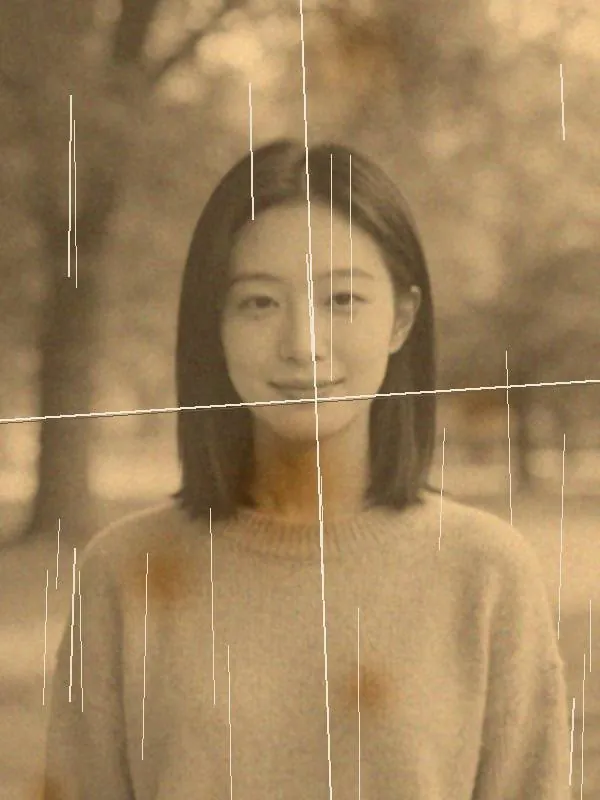
Original 
AI-generated One-click restore: removes scratches, creases and stains. The old photo is a demo image: we aged a portrait photo (sepia tone, scratches, creases and stains), so it is not a real historical photo. The result was also colourised, a known trade-off of this operation; it is an approximate reconstruction and does not guarantee the original look.

Original 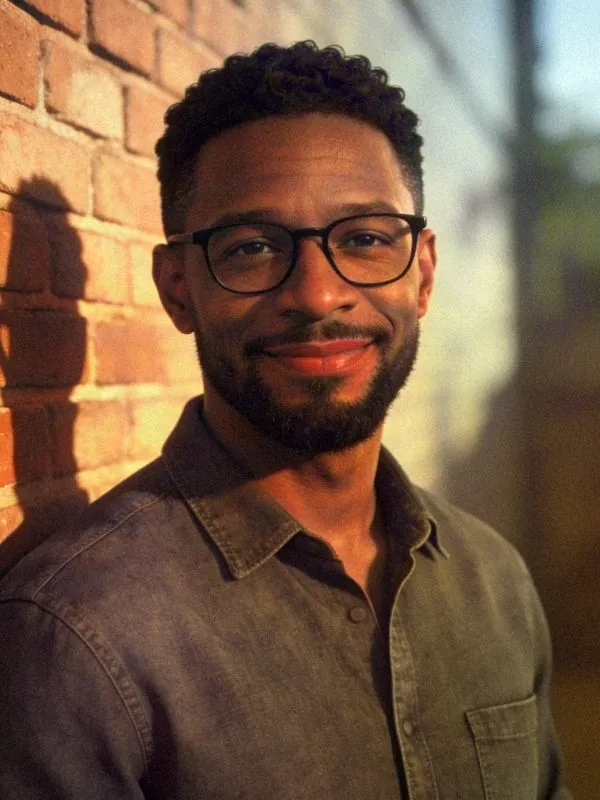
AI-generated Colourise: adds colour to a black-and-white photo. The black-and-white photo is a demo image: we converted a colour portrait to black and white. The colours are the AI's guess, not necessarily the real colours of the time.
How to use
- Sign in, open the editor and choose or drop in an old photo (everyone in it must have been 18 or older when it was taken)
- Pick “Restore” in the toolbar, then “Full restore” or “Colorize”
- Tick the confirmation on the page, start, and wait
- Compare the result with the original; download it if you are happy, and it is also kept in “My results”
Which photos you can restore
Upload only photos of yourself or of people who have agreed. Old photo restoration cannot process photos that include anyone under 18, including photos of yourself as a child. Age is counted at the time the photo was taken: childhood photos of relatives are not allowed either, and everyone in the photo must have been 18 or older when it was taken.
Images that are too small, or too long and thin, are refused with the reason shown, and nothing is charged. For an almost completely black photo, restoring or colorizing may show no visible effect; the page warns you first and charges only after you confirm.
What to expect
AI restoration is an approximate reconstruction and does not guarantee the original look, so compare it with your original before using it. The file carries an AI mark, and the page labels it too. Output uses standard color (sRGB).
A full restore comes out at roughly one megapixel, so a very large original gives a smaller result; colorizing keeps the original size.
Cost and failures
It uses credits per run; see the prices page for the amount, which differs between restoring and colorizing, and colorizing is tiered by pixel count. The page shows the cost of this run before you start. Running again re-uploads the original and is charged again.
If the image or the result is blocked by content review, nothing is charged, and old photo restoration is paused for your account for a while (up to 24 hours) to prevent abuse. Failed runs and expired upload tokens are not charged either.
Where results are kept, and privacy
Finished images are saved automatically in “My results” in this browser for 7 days and only your account can see them; switching browsers, clearing browser data or signing out removes them, so download what you want to keep.
Upload only images you have the right to edit; unlawful content is not allowed, see the user agreement. Images are handled by a third-party AI service, see the privacy policy.
FAQ
- How much does restoring a photo cost?
- It uses credits per run; see the prices page. Full restore and Colorize cost different amounts. Prices can change, so go by the prices page and the amount shown in the tool.
- Will it bring back exactly how the photo used to look?
- It cannot promise that. AI restoration is an approximate reconstruction, so compare it with the original before using it.
- Can I restore a photo of me as a child?
- No. Old photo restoration cannot process photos that include anyone under 18, including photos of yourself as a child; age is counted when the photo was taken.
- Am I charged if a run is blocked or fails?
- No. Content-review blocks, failed runs and expired upload tokens are not charged.