Eraser: rub parts of a photo out to transparent
Free
Brush over a photo with your mouse or finger to rub out the parts you don't want to transparent, and bring them back if you slip, right in your browser: your image is not uploaded.
Highlights
- Brush to erase, and “Restore” to paint back anything you rubbed out by mistake
- Adjustable brush size and edge hardness, plus a soft-erase option
- Undo, redo, or start over
- Runs in your browser; your image is not uploaded
- Free to use
Examples

Original 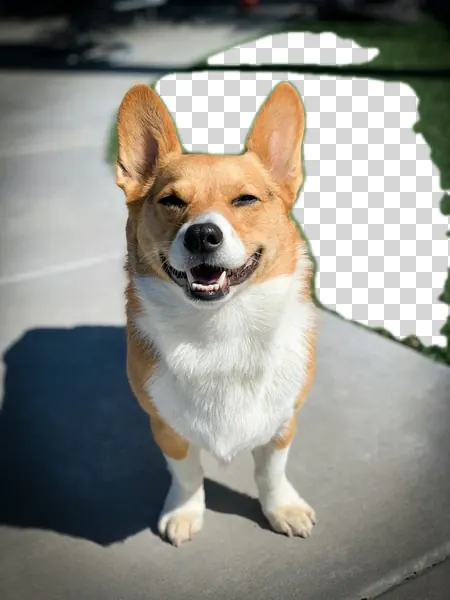
After Example: a patch of grass behind the dog rubbed out, with the transparent area drawn as a checkerboard (sample image, same kind of brushing processed locally; the file you save is a PNG or WebP with real transparency)
How to use
- Open the editor and choose or drop in a photo
- Pick “Eraser” in the toolbar and brush over the photo with your mouse or finger
- Switch to “Restore” to paint back mistakes, or click “Undo”
- Download as PNG or WebP to keep the transparency
After you erase
Only PNG and WebP keep transparency. Saved as JPEG, transparent areas are filled with the background color you choose.
If you rotate, crop or resize after erasing, what you erased is cleared, so do those first and erase last.
With too many strokes the tool asks you to undo a few. Very large images can fail for lack of memory; shrink the image first and then erase.
This is manual brushing: you decide what goes, and the tool does not detect the subject by itself. To remove a background automatically, use Remove background.
Which images work
JPG, PNG and WebP images are supported, up to 50 MB per file and 40 megapixels. Animated images such as GIFs can't be edited; use a still image instead.
Images with a wide-gamut (Display P3) or CMYK color profile open too, with colors converted correctly; CMYK images are limited to 24 megapixels.
FAQ
- What if I erase too much?
- Click “Undo” to step back, or switch to “Restore” mode and paint the area back. You can also click “Start over”.
- Is my image uploaded?
- No. This tool works on the image right in your browser; it is not sent to our servers or to any other service.
- Does it cost anything?
- This tool is free to use.